Keymaps unlocked for macOS
What is a Keymap?Built on Karabiner Elements.support Hackboard is a work in progress. The good kind, where things keep getting better.
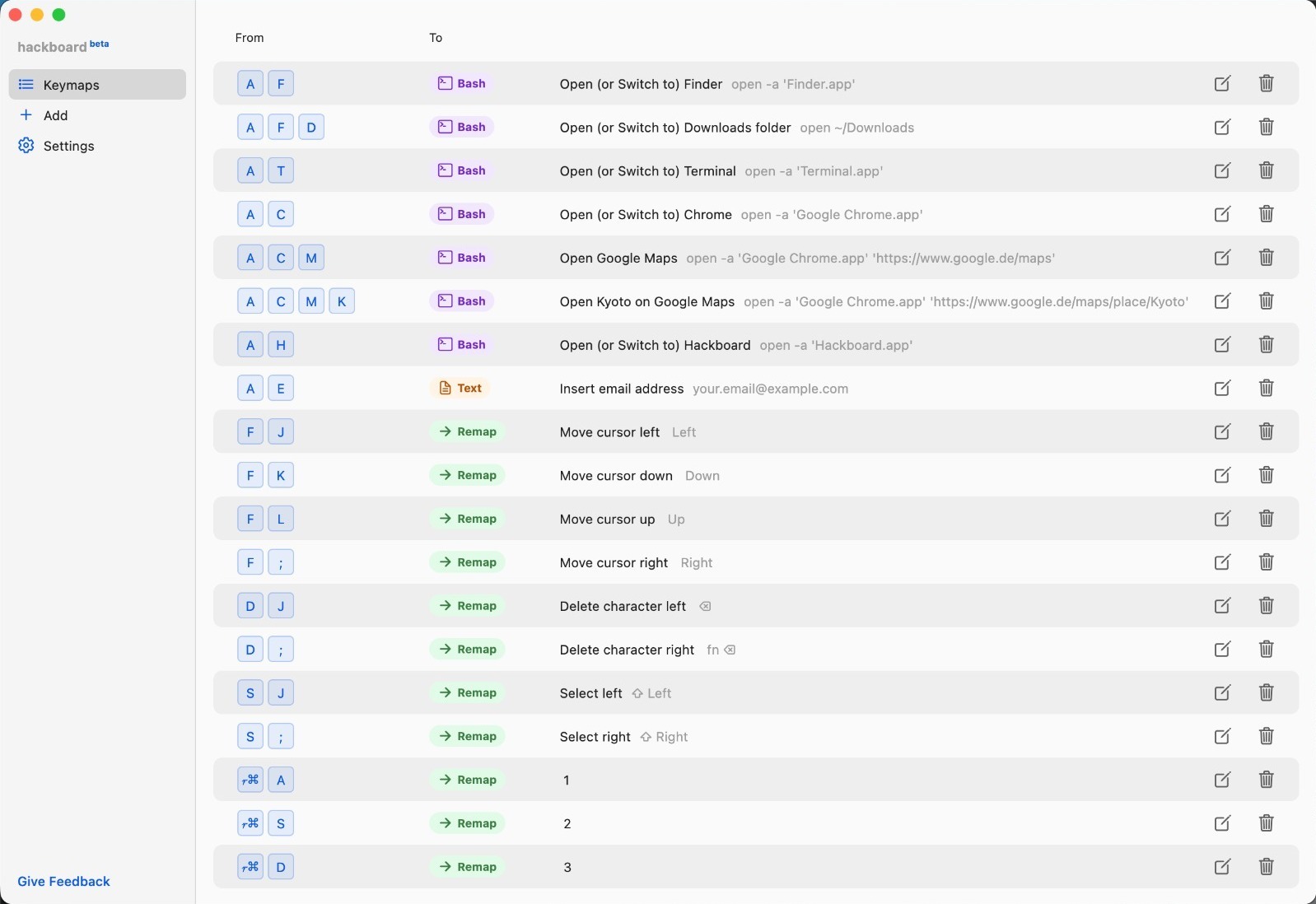
What Hackboard does for you

Instant app launching
Terminal, Safari, Finder, Raycast — any app, any depth.
Super fast text manipulation
Text edits (e.g. post-dictation) and automated text insertions unlock new work speed.

Layered Keymaps
Hold to activate layer, tap to trigger actions. 4+ layers deep. Smart rollover protects normal typing.
Right modifiers unlocked
Independent Right Cmd and Option are an ergonomics gold mine.

Smooth symbol access
No more reaching: symbols are typed with right modifiers on the home row or adjacent to it.

Mnemonics as gamechanger
Actually remember your shortcuts. A – S – M → Application – Safari – Maps.
What is a Keymap?
Hold a sequence, tap a key, map an action — that’s a keymap.
Key Combinations
- Single keye.g. D or ⌘ or ;
- Modifier(s) + keye.g. ⌘C or ⌘⇧T
- Letter sequencee.g. ACM
- Modifier + letter sequencee.g. ⌥ AC

Actions
- Remapto classical key combination
- Launch or switch to appincl. deep links
- Run shell command
- Edit and insert text
- Macros= chained actions
Let’s Talk!
Bugs, questions, wild ideas — all welcome. Seriously.